

Predictable spend
Flat-rate plans never bill overage. If an allowance runs out, moderation falls back to a basic mode instead of generating extra charges.
Always-on protection
Even after an allowance is reached, your community keeps a baseline level of moderation until your usage resets.
How your usage is tracked
- Tracked per feature. Text & Metadata Moderation, Image Moderation, and Video Moderation (posted minutes) each have their own allowance — running low on one doesn’t affect the others.
- Counted across your whole organization. Usage is combined across all of your applications, not capped per app.
- Resets monthly. Your usage counters reset on the 1st day of every month, in line with your billing cycle.
Your monthly allowances are determined by your subscribed plan tier. If your community is growing and you’d like to review your tier, contact support.
Understanding your usage status
Each moderation feature shows a status badge based on how much of its monthly allowance has been used:What happens when an allowance is reached
When a feature’s month-to-date usage reaches 100% of its allowance, Budget Guard activates immediately and only for that feature:- Remaining content for that feature is moderated using basic, rules-based moderation (keyword and block/allow-list filtering) instead of AI moderation, so your community continues to be protected.
- All other features that haven’t reached their limit continue to run on full AI moderation as usual.
- The feature automatically returns to full AI moderation at the start of your next billing cycle — no action needed on your part.
Where to check your usage
Usage is visible in two places — pick whichever fits how you work.- Admin Portal
- Console
Go to Account → Plan details to see a single, organization-wide view of your AI moderation usage across all applications.For each feature, you’ll see: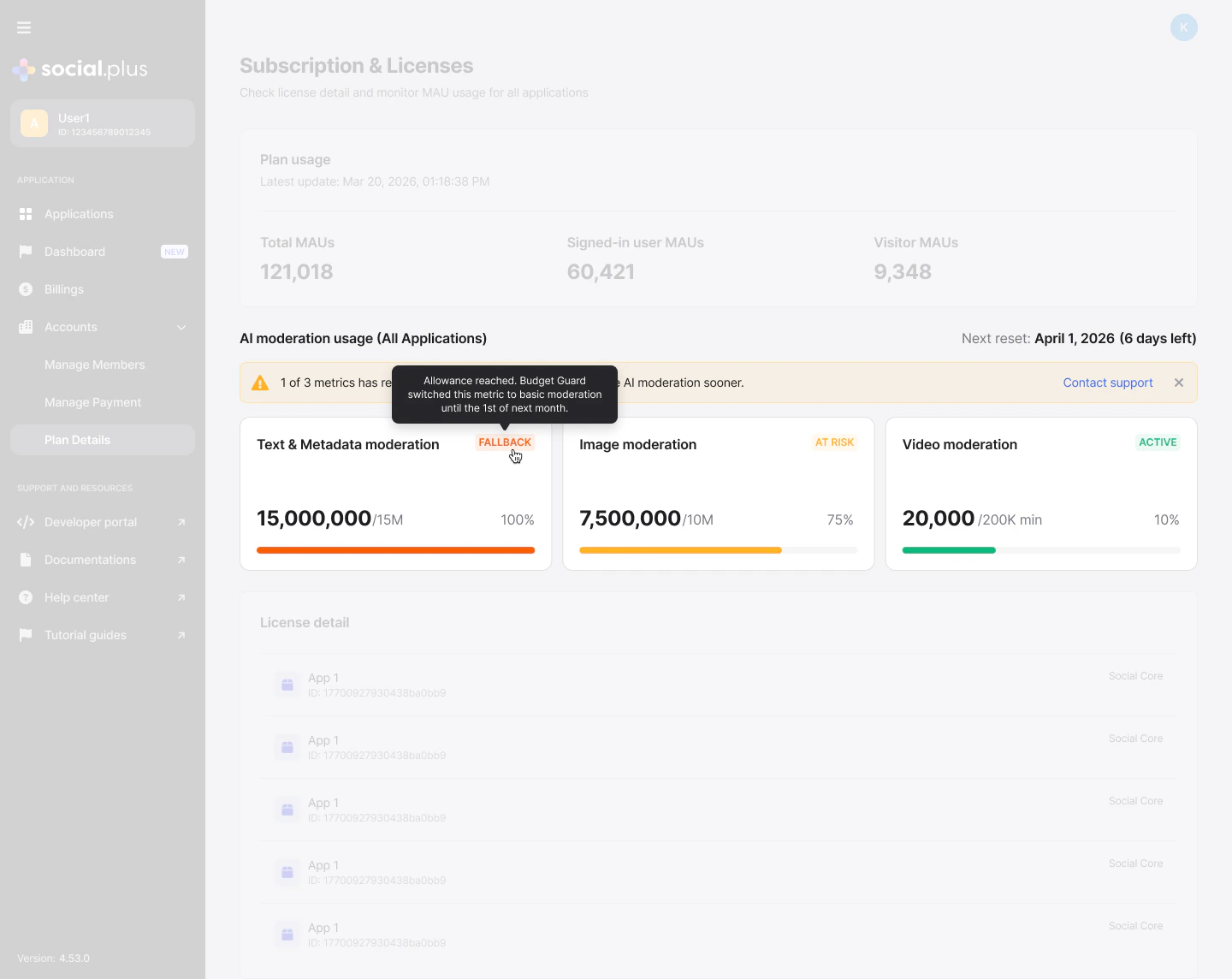
- The monthly allowance and how much you’ve used so far
- The percentage used, with a visual progress bar
- The date your usage will next reset
- The current status (Active, At risk, or Fallback)
When any feature reaches At risk or Fallback, a notification banner appears at the top of the page with a link to Contact support. It can be dismissed — once dismissed, it won’t reappear for you, though teammates who haven’t seen it yet still will.
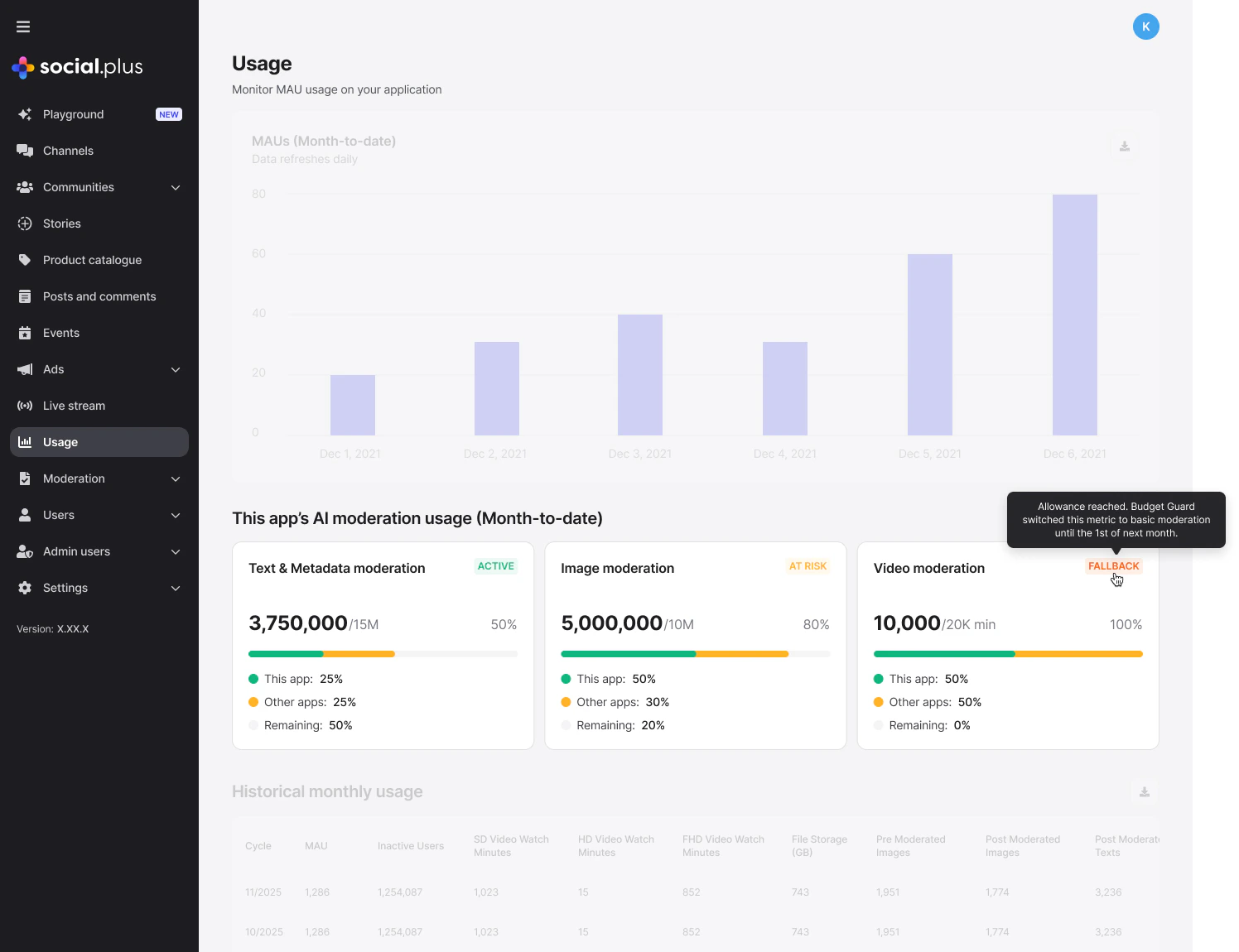
Usage shown in the Console and the Admin Portal is always kept in sync — whichever view you check, you’ll see the same allowance, usage, and status for your organization.
Staying ahead of your limit
- Check in regularly, especially if your community’s activity is growing month over month.
- Watch for the At risk notification — it gives you advance notice before a feature switches to basic moderation.
- Reach out early. If you expect to consistently approach or exceed an allowance, contact support to talk through your options, including moving to a higher tier.