

SDK v7.x · Last verified March 2026 · iOS · Android · Web · Flutter
Speed run — just the code
Speed run — just the code
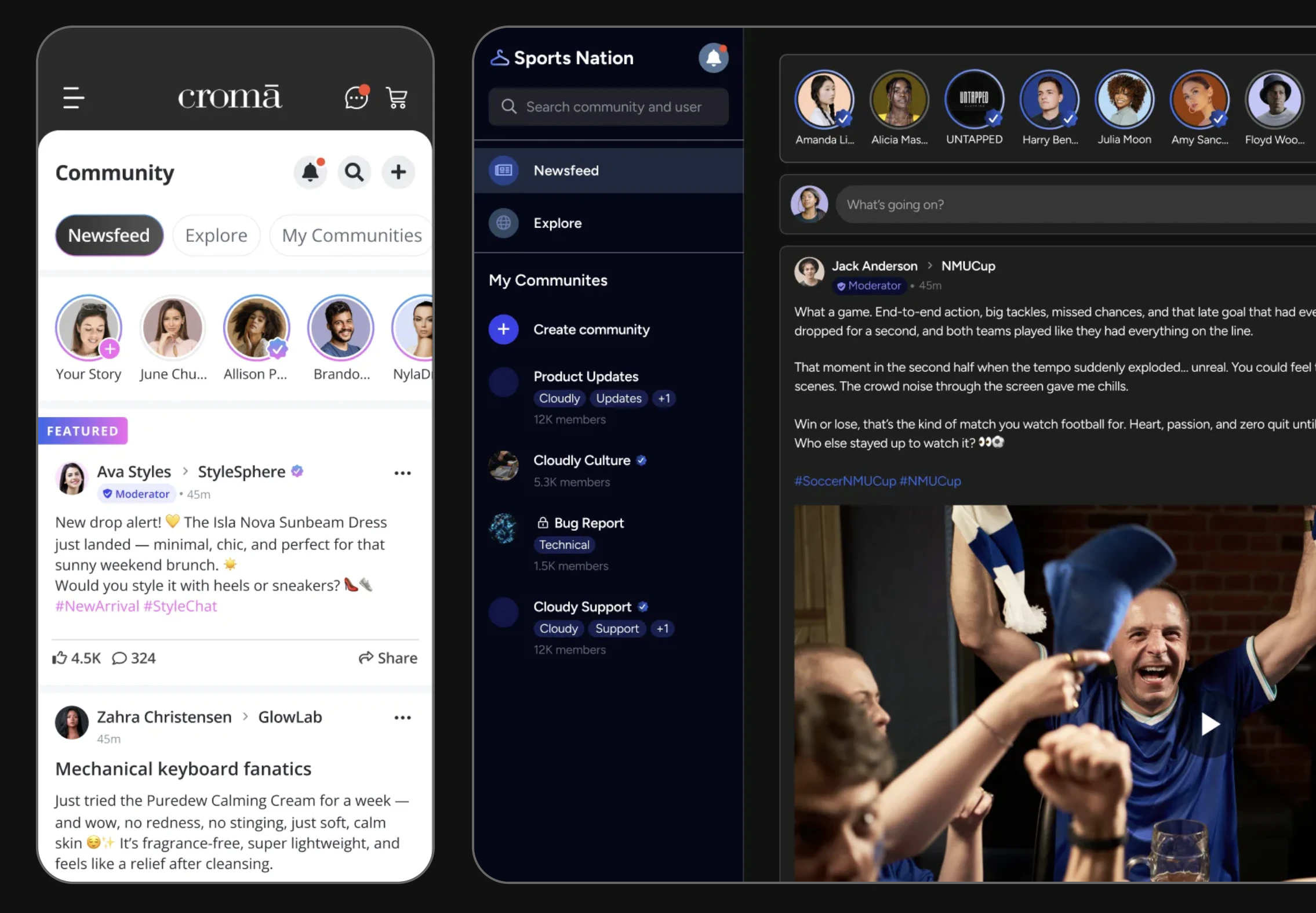
Social feeds in action — newsfeed with story rings, community sidebar, and video posts
Prerequisites: SDK installed and authenticated → SDK Setup. You’ll need a valid
userId for the current user and optionally a communityId for community-scoped feeds.After completing this guide you’ll have:
- A live-updating user feed, community feed, and global feed rendering in your app
- Real-time post additions and deletions via Live Collections
- Post ranking configured and connected to the Admin Console
Quick Start: Query a User Feed
UseAmityFeedRepository to query a user’s combined feed (their own posts + community posts they authored):
Full reference → Get User Feed
Step-by-Step Implementation
1
Query a community feed
Use Full reference → Query Posts
PostRepository.getPosts() to query all posts within a specific community. Filter by post type, sort order, and deletion status.TypeScript
2
Query the global feed
The global feed aggregates posts across all communities. The SDK provides both chronological ordering and custom-ranked feeds based on engagement metrics.Full reference → Query Global Feed
TypeScript
3
Query the For You feed
For You is a backend-personalized global feed. It is a network-level feature — gate the surface on Full reference → Query For You Feed
Client.getForYouFeedSetting() and handle AmityForYouFeedDisabledError for networks where it is not enabled. getForYouFeed() takes no query parameters; page through the callback.TypeScript
4
Subscribe to real-time events
Live Collections auto-update from local cache changes (e.g., the current user creates a post). To also receive server-side updates (new posts from other users, moderator deletions), you must explicitly subscribe to the relevant topic.Full reference → Social Real-time Events
TypeScript
5
Implement pagination
Live Collections provide Full reference → Live Objects & Collections
onNextPage and hasNextPage in the callback. Trigger load-more when the user scrolls near the bottom.TypeScript
6
Apply custom post ranking (optional)
Pin specific posts to the top of a community feed or enable the engagement-based ranking algorithm that factors in comments, reactions, and time decay.Full reference → Custom Post Ranking
Connect to Moderation & Analytics
Flagged content in feeds
Flagged content in feeds
When a user flags a post via the SDK, the post is submitted for moderator review. By default, flagged posts remain visible until a moderator takes action. You can configure automatic hiding of reported content in the Admin Console → Content Moderation → Settings.
- SDK flagging → Content Flagging
- Console review → Admin Console Moderation
Post impression analytics
Post impression analytics
Track how many users viewed posts in the feed using impression analytics.View aggregated impression data in Admin Console → Social Management → Post Analytics.Full reference → Post Impressions
Webhook: new post in feed
Webhook: new post in feed
Receive a webhook event whenever a post is created in a community your server monitors. Use this to send push notifications or trigger downstream workflows.Reference → Webhook Events
Common Mistakes
Best Practices
Performance
Performance
- Use
dataTypesfiltering to limit payload size when you only need specific post types - Avoid observing the global feed on low-memory devices — use paginated queries instead
- Unsubscribe Live Collection observers when the screen goes off-screen (lifecycle-aware)
- Use
untilAt(iOS/Android) for time-bounded pagination to prevent content jumping when new posts arrive
User Experience
User Experience
- Always show a skeleton/placeholder while the first page loads
- Show a “New posts” banner (like Twitter) rather than auto-scrolling to the top when live updates arrive
- Preserve scroll position when the user navigates away and returns
- Cache the first page of the feed for offline display
Security
Security
- Never expose the raw API key in client-side code — use the SDK’s built-in auth flow
- Respect
isPublic: falsecommunities — the SDK automatically filters private communities from feeds - Don’t cache deleted posts — observe deletions via Live Collections and remove them immediately
Next Steps
Your next step → Rich Content Creation
Now that you have a working feed, give users something to post — text, images, videos, polls, and file posts.
Rich Content Creation
Create the posts that appear in the feed
Comments & Reactions
Add engagement features to feed posts
Community Platform
Build the communities that power community feeds