These are shared UIKit components used by both post and livestream product tagging features. For feature-level documentation — including behaviour, limits, and when to use each component — see Post Components and Livestream.

Platform Support

ComponentiOSAndroidWebReact NativeFlutter
ProductTagSelectionComponent
ProductTagListComponent
ManageProductTagListComponent

ProductTagSelectionComponent

A searchable, multi-select product picker used when tagging products in a post or livestream. The component operates in one of three modes depending on context.
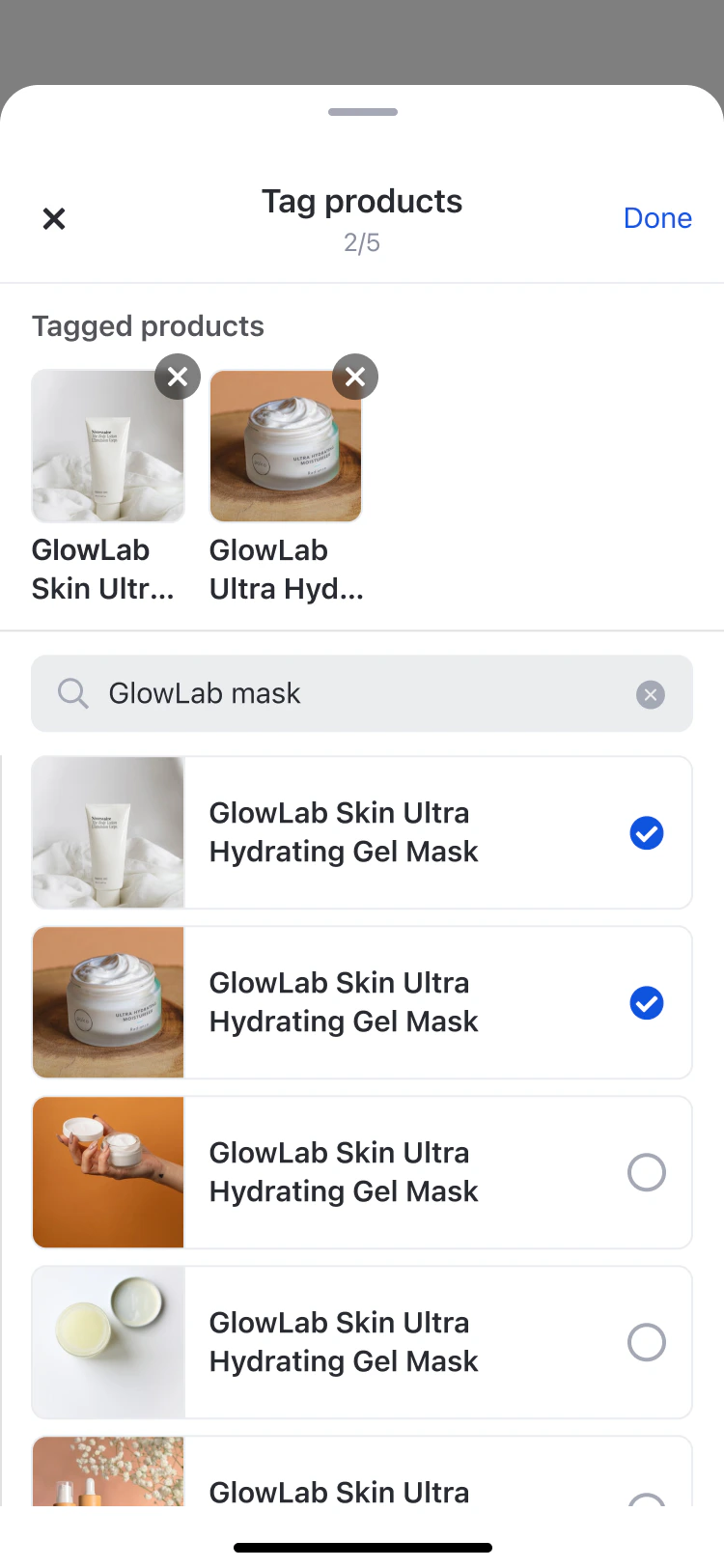
ProductTagSelectionComponent shows interface for selecting products

Mode Behaviour

ModeHeader TitleUsed in
create”Tag products”Post creation
edit”Edit tags”Post editing
livestream”Add products”Livestream tagging
Products already tagged elsewhere (e.g. on another media item) are shown in the list but appear disabled and cannot be re-selected.

Code Examples

AmityProductTagSelectionComponent(
    pageId: .postComposerPage,
    selectedProductTags: selectedProducts,
    existingProducts: ["product-3", "product-4"], // Already tagged - shown disabled
    mode: .create,  // .create | .edit | .livestream
    onTagChanges: { tags in
        // Handle selection changes
    },
    onDone: {
        // Handle completion (create/edit modes)
    },
    onClose: {
        // Handle dismissal (livestream mode)
    }
)

ProductTagListComponent

A read-only, vertically scrollable list that displays tagged products below post content. The header label adapts to the render mode context.
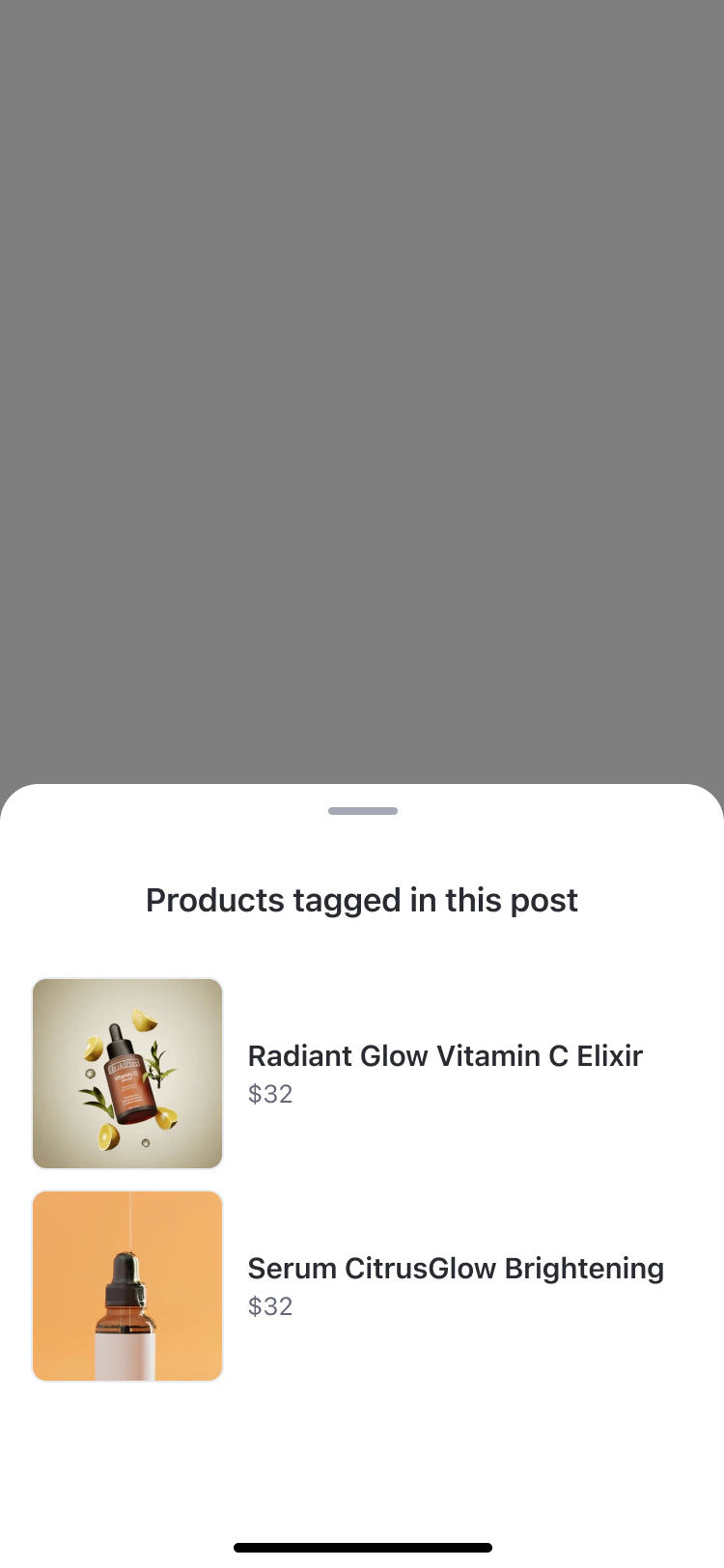
ProductTagListComponent shows products list

Render Mode Header Text

ModeHeader TextUsed in
post”Products tagged in this post”Post feed and post detail
image”Products tagged in this photo”Image attachment view
video”Products tagged in this video”Video attachment view
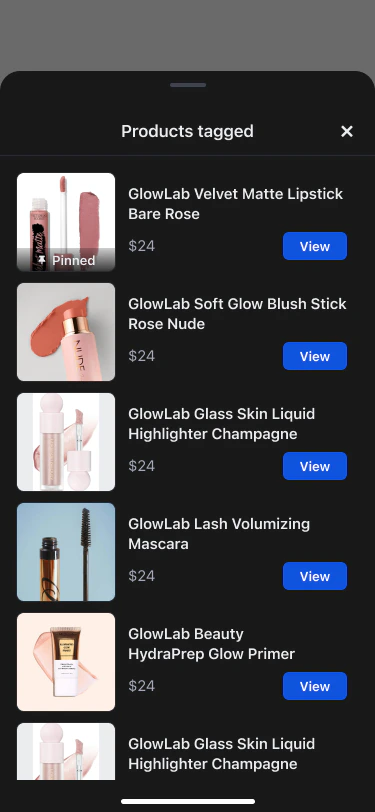
livestream”Products tagged”Livestream viewer overlay
ProductTagListComponent in livestream mode — viewer product list bottom sheet

Code Examples

AmityProductTagListComponent(
    pageId: .postDetailPage,
    productTags: taggedProducts,
    renderMode: .post,  // .post | .livestream | .image | .video
    onProductClick: { productTag in
        // Handle product interaction
    }
)
.environmentObject(host)

ManageProductTagListComponent

A management interface for hosts and co-hosts to tag, pin, and remove products during a livestream. Used in a bottom sheet (mobile) or popup (desktop). Also used in read-only mode for post-live replay.
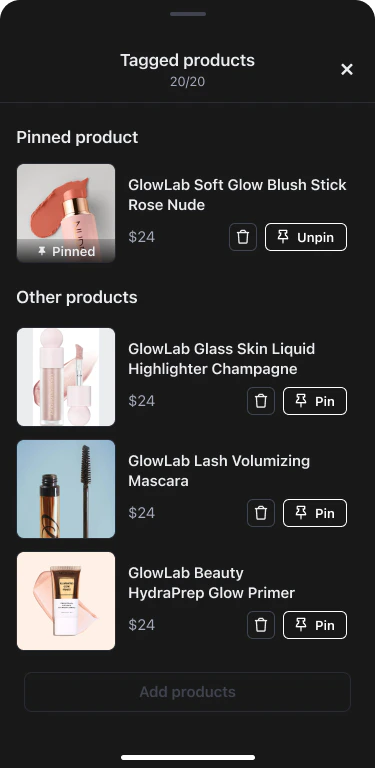
ManageProductTagListComponent showing pinned product and other products list

Render Mode Behaviour

ModePin controlsUsed in
livestreamEnabledActive livestream — host/co-host management
playbackDisabledPost-live replay view
When products are present, the list is organised into a pinned section at the top (single product) and an “Other products” section below. When empty, a call-to-action to add products is shown.

Code Examples

import AmityUIKit4

AmityManageProductTagListComponent(
    pageId: .livestreamPage,
    viewModel: manageProductTagViewModel,
    renderMode: .livestream,
    onClose: { products in
        // Update local tagged products state
        taggedProducts = products
    },
    onAddProducts: {
        // Present product selection sheet
    },
    onPinToggle: { productId, shouldPin in
        viewModel.pinProduct(productId: productId, pin: shouldPin)
    },
    onProductRemove: { productId in
        viewModel.removeProduct(productId: productId)
    }
)
.environmentObject(host)

Post Components

Product tagging behaviour, limits, and UX rules for posts

Livestream

Product tagging phases, pinning, co-host permissions, and viewer experience for livestreams