> ## Documentation Index
> Fetch the complete documentation index at: https://learn.social.plus/llms.txt
> Use this file to discover all available pages before exploring further.
# User Profiles & Social Graph
> Build user profiles, follow/unfollow with connection requests, bidirectional blocking, and follower/following lists.
**SDK v7.x** · Last verified March 2026 · iOS · Android · Web · Flutter
```typescript theme={null}
// 1. Follow a user
await UserRepository.Relationship.follow('targetUserId');
// 2. Unfollow
await UserRepository.Relationship.unfollow('targetUserId');
// 3. Accept a follow request
await UserRepository.Relationship.acceptMyFollower('requesterId');
// 4. Block a user
await UserRepository.Relationship.blockUser('targetUserId');
// 5. Query followers
UserRepository.Relationship.getFollowers('userId', 'accepted',
({ data }) => { /* render */ }
);
```
Full walkthrough below ↓
**Platform note** — code samples below use TypeScript. Every method has an equivalent in the iOS (Swift), Android (Kotlin), and Flutter (Dart) SDKs — see the linked SDK reference in each step.
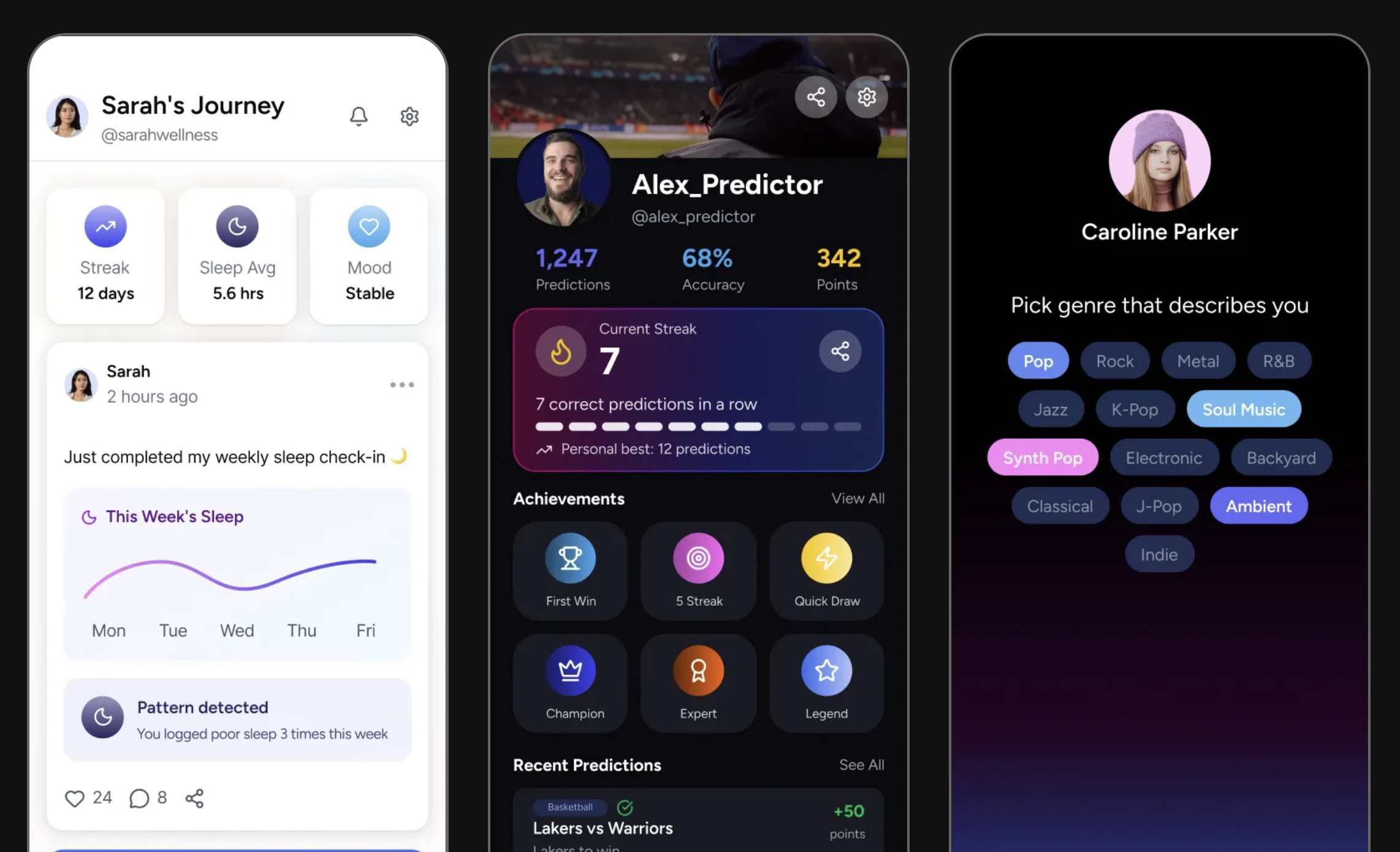 A social graph connects your users to each other. This guide covers querying and displaying user profiles, building the follow/unfollow system with pending-request support, and implementing bidirectional blocking.
```mermaid theme={null}
graph TD
A[User A] -->|follows| B[User B]
B -->|accepts request| C[Connected]
A -->|blocks| D[User C]
D -.->|content hidden from| A
C --> E[User A sees User B's posts]
C --> F[User B sees follower count increase]
classDef action fill:#e1f5fe,stroke:#0288d1,color:#01579b
classDef decision fill:#fff8e1,stroke:#f9a825,color:#f57f17
classDef process fill:#f3e5f5,stroke:#7b1fa2,color:#4a148c
classDef outcome fill:#e8f5e9,stroke:#388e3c,color:#1b5e20
class A action
class B,D process
class C,E,F outcome
```
## Data Model
```mermaid theme={null}
erDiagram
USER {
string userId PK
string displayName
string avatarUrl
object metadata
int followersCount
int followingCount
int flagCount
}
FOLLOW_RELATIONSHIP {
string sourceUserId FK
string targetUserId FK
string status "pending | accepted"
}
BLOCK {
string sourceUserId FK
string targetUserId FK
}
USER ||--o{ FOLLOW_RELATIONSHIP : "has followers"
USER ||--o{ FOLLOW_RELATIONSHIP : "is following"
USER ||--o{ BLOCK : "blocks"
```
**Prerequisites**: SDK installed and authenticated. You'll need valid `userId` values for the current user and any target users.
**After completing this guide you'll have:**
* User profile display with avatar, bio, and follower/following counts
* Follow, unfollow, and connection-request flows working end-to-end
* Bidirectional blocking implemented with proper feed filtering
***
## Quick Start: Follow a User
Use the relationship API to follow another user:
```typescript TypeScript theme={null}
import { UserRepository } from '@amityco/ts-sdk';
const { data: followStatus } = await UserRepository.Relationship.follow(userId);
// followStatus.status: 'accepted' | 'pending'
```
Full reference → [Follow / Unfollow User](/social-plus-sdk/social/user-relationship/following/follow-unfollow-user)
***
## Step-by-Step Implementation
Query a user's profile to display their name, bio, avatar, and follower/following counts.
```typescript theme={null}
import { UserRepository } from '@amityco/ts-sdk';
const unsubscribe = UserRepository.getUser(userId, ({ data: user, loading }) => {
if (user) {
console.log(user.displayName, user.description, user.avatarFileId);
}
});
```
Full reference → [Get User Information](/social-plus-sdk/core-concepts/user-management/user-operations/get-user-information)
For public accounts, following is immediate. For accounts with privacy settings requiring approval, this sends a follow request.
```typescript TypeScript theme={null}
import { UserRepository } from '@amityco/ts-sdk';
const { data: followStatus } = await UserRepository.Relationship.follow(userId);
// followStatus.status: 'accepted' | 'pending'
```
Full reference → [Follow / Unfollow User](/social-plus-sdk/social/user-relationship/following/follow-unfollow-user)
Full reference → [Follow / Unfollow User](/social-plus-sdk/social/user-relationship/following/follow-unfollow-user)
When a user's account requires approval for follows, incoming requests land in a pending queue. Moderators or the target user can accept or decline.
```typescript theme={null}
import { UserRepository } from '@amityco/ts-sdk';
const isAccepted = await UserRepository.Relationship.acceptMyFollower('userId');
```
Full reference → [Accept/Decline Follow Request](/social-plus-sdk/social/user-relationship/following/accept-decline-follow-request)
Check the relationship between two users before displaying follow/unfollow buttons. Status can be: `none`, `following`, `pending`, or `blocked`.
```typescript theme={null}
import { UserRepository } from '@amityco/ts-sdk';
const unsubscriber = UserRepository.Relationship.getFollowInfo(
'userId',
({ data: followInfo }) => {
console.log('Followers:', followInfo.followerCount);
console.log('Following:', followInfo.followingCount);
},
);
```
Full reference → [Get Connection Status](/social-plus-sdk/social/user-relationship/following/get-connection-status)
Query paginated lists of a user's followers and the users they follow.
```typescript theme={null}
import { UserRepository } from '@amityco/ts-sdk';
const unsubscriber = UserRepository.Relationship.getFollowers(
{ userId: 'my-user-id' },
({ data: followers, onNextPage, hasNextPage }) => {
if (followers) { /* render follower list */ }
},
);
```
Full reference → [Get Follower / Following List](/social-plus-sdk/social/user-relationship/following/get-follower-following-list)
Blocking is bidirectional — neither user can see the other's content or interact with them.
```typescript theme={null}
import { UserRepository } from '@amityco/ts-sdk';
await UserRepository.Relationship.blockUser('userId');
```
Full reference → [Block / Unblock User](/social-plus-sdk/social/user-relationship/blocking/block-unblock-user)
***
## Connect to Moderation & Analytics
Users can flag other users for abuse or spam. Flagged users appear in the Admin Console for moderator review.
→ [Flag / Unflag User](/social-plus-sdk/core-concepts/user-management/user-operations/flag-unflag-user) · [Admin Console: User Insights](/analytics-and-moderation/console/user-and-content-management/user-insights)
View per-user analytics including post count, comment count, and activity history in **Admin Console → User Management → User Insights**.
Receive `user.followed` and `follow.request.created` webhook events to build notification flows and sync social graph state to your backend.
→ [Webhook Events](/analytics-and-moderation/social+-apis-and-services/webhook-event)
***
## Common Mistakes
**Not handling the pending follow state** — When a user requires approval, `follow()` creates a pending request — not an immediate follow. Your UI must show "Requested" instead of "Following".
```typescript theme={null}
// ❌ Bad — assumes instant follow
await UserRepository.Relationship.follow('userId');
setState('following'); // wrong!
// ✅ Good — check the returned status
const { data } = await UserRepository.Relationship.follow('userId');
setState(data.status); // 'accepted' or 'pending'
```
**Blocking without unfollowing first** — Blocking a user does not automatically unfollow them. Call `unfollow` before `blockUser` to fully sever the relationship.
**Querying the full follower list on profile load** — Large accounts can have thousands of followers. Only fetch a count for the profile header, and paginate the full list on demand.
## Best Practices
* Show follower counts as rounded numbers for large accounts ("1.2K") to avoid gaming dynamics
* Never expose private account content before a follow request is accepted
* Let users choose between public and request-based following in their account settings
* When a user blocks another, immediately hide the blocked user's content from all feeds client-side
* Show the connection status in a single CTA button: "Follow" → "Requested" → "Following"
* Display mutual followers ("3 people you follow also follow this account") to drive trust
* Add empty states for users with 0 followers/following — show suggestions instead of a blank list
* Cache the current user's following list locally for fast "is following" checks without a network call
* Paginate follower/following lists — request 30 at a time
* Observe user Live Objects sparingly — only subscribe when the profile screen is active
***
**Dive deeper**: [User Relationships API Reference](/social-plus-sdk/social/user-relationship/overview) has full parameter tables, method signatures, and platform-specific details for every API used in this guide.
## Next Steps
Profiles are live — now let users find each other with search, suggestions, and "People you may know".
Or explore related guides:
Show posts from followed users in a personalized feed
Notify users of new followers and follow requests
Manage member roles within communities
A social graph connects your users to each other. This guide covers querying and displaying user profiles, building the follow/unfollow system with pending-request support, and implementing bidirectional blocking.
```mermaid theme={null}
graph TD
A[User A] -->|follows| B[User B]
B -->|accepts request| C[Connected]
A -->|blocks| D[User C]
D -.->|content hidden from| A
C --> E[User A sees User B's posts]
C --> F[User B sees follower count increase]
classDef action fill:#e1f5fe,stroke:#0288d1,color:#01579b
classDef decision fill:#fff8e1,stroke:#f9a825,color:#f57f17
classDef process fill:#f3e5f5,stroke:#7b1fa2,color:#4a148c
classDef outcome fill:#e8f5e9,stroke:#388e3c,color:#1b5e20
class A action
class B,D process
class C,E,F outcome
```
## Data Model
```mermaid theme={null}
erDiagram
USER {
string userId PK
string displayName
string avatarUrl
object metadata
int followersCount
int followingCount
int flagCount
}
FOLLOW_RELATIONSHIP {
string sourceUserId FK
string targetUserId FK
string status "pending | accepted"
}
BLOCK {
string sourceUserId FK
string targetUserId FK
}
USER ||--o{ FOLLOW_RELATIONSHIP : "has followers"
USER ||--o{ FOLLOW_RELATIONSHIP : "is following"
USER ||--o{ BLOCK : "blocks"
```
**Prerequisites**: SDK installed and authenticated. You'll need valid `userId` values for the current user and any target users.
**After completing this guide you'll have:**
* User profile display with avatar, bio, and follower/following counts
* Follow, unfollow, and connection-request flows working end-to-end
* Bidirectional blocking implemented with proper feed filtering
***
## Quick Start: Follow a User
Use the relationship API to follow another user:
```typescript TypeScript theme={null}
import { UserRepository } from '@amityco/ts-sdk';
const { data: followStatus } = await UserRepository.Relationship.follow(userId);
// followStatus.status: 'accepted' | 'pending'
```
Full reference → [Follow / Unfollow User](/social-plus-sdk/social/user-relationship/following/follow-unfollow-user)
***
## Step-by-Step Implementation
Query a user's profile to display their name, bio, avatar, and follower/following counts.
```typescript theme={null}
import { UserRepository } from '@amityco/ts-sdk';
const unsubscribe = UserRepository.getUser(userId, ({ data: user, loading }) => {
if (user) {
console.log(user.displayName, user.description, user.avatarFileId);
}
});
```
Full reference → [Get User Information](/social-plus-sdk/core-concepts/user-management/user-operations/get-user-information)
For public accounts, following is immediate. For accounts with privacy settings requiring approval, this sends a follow request.
```typescript TypeScript theme={null}
import { UserRepository } from '@amityco/ts-sdk';
const { data: followStatus } = await UserRepository.Relationship.follow(userId);
// followStatus.status: 'accepted' | 'pending'
```
Full reference → [Follow / Unfollow User](/social-plus-sdk/social/user-relationship/following/follow-unfollow-user)
Full reference → [Follow / Unfollow User](/social-plus-sdk/social/user-relationship/following/follow-unfollow-user)
When a user's account requires approval for follows, incoming requests land in a pending queue. Moderators or the target user can accept or decline.
```typescript theme={null}
import { UserRepository } from '@amityco/ts-sdk';
const isAccepted = await UserRepository.Relationship.acceptMyFollower('userId');
```
Full reference → [Accept/Decline Follow Request](/social-plus-sdk/social/user-relationship/following/accept-decline-follow-request)
Check the relationship between two users before displaying follow/unfollow buttons. Status can be: `none`, `following`, `pending`, or `blocked`.
```typescript theme={null}
import { UserRepository } from '@amityco/ts-sdk';
const unsubscriber = UserRepository.Relationship.getFollowInfo(
'userId',
({ data: followInfo }) => {
console.log('Followers:', followInfo.followerCount);
console.log('Following:', followInfo.followingCount);
},
);
```
Full reference → [Get Connection Status](/social-plus-sdk/social/user-relationship/following/get-connection-status)
Query paginated lists of a user's followers and the users they follow.
```typescript theme={null}
import { UserRepository } from '@amityco/ts-sdk';
const unsubscriber = UserRepository.Relationship.getFollowers(
{ userId: 'my-user-id' },
({ data: followers, onNextPage, hasNextPage }) => {
if (followers) { /* render follower list */ }
},
);
```
Full reference → [Get Follower / Following List](/social-plus-sdk/social/user-relationship/following/get-follower-following-list)
Blocking is bidirectional — neither user can see the other's content or interact with them.
```typescript theme={null}
import { UserRepository } from '@amityco/ts-sdk';
await UserRepository.Relationship.blockUser('userId');
```
Full reference → [Block / Unblock User](/social-plus-sdk/social/user-relationship/blocking/block-unblock-user)
***
## Connect to Moderation & Analytics
Users can flag other users for abuse or spam. Flagged users appear in the Admin Console for moderator review.
→ [Flag / Unflag User](/social-plus-sdk/core-concepts/user-management/user-operations/flag-unflag-user) · [Admin Console: User Insights](/analytics-and-moderation/console/user-and-content-management/user-insights)
View per-user analytics including post count, comment count, and activity history in **Admin Console → User Management → User Insights**.
Receive `user.followed` and `follow.request.created` webhook events to build notification flows and sync social graph state to your backend.
→ [Webhook Events](/analytics-and-moderation/social+-apis-and-services/webhook-event)
***
## Common Mistakes
**Not handling the pending follow state** — When a user requires approval, `follow()` creates a pending request — not an immediate follow. Your UI must show "Requested" instead of "Following".
```typescript theme={null}
// ❌ Bad — assumes instant follow
await UserRepository.Relationship.follow('userId');
setState('following'); // wrong!
// ✅ Good — check the returned status
const { data } = await UserRepository.Relationship.follow('userId');
setState(data.status); // 'accepted' or 'pending'
```
**Blocking without unfollowing first** — Blocking a user does not automatically unfollow them. Call `unfollow` before `blockUser` to fully sever the relationship.
**Querying the full follower list on profile load** — Large accounts can have thousands of followers. Only fetch a count for the profile header, and paginate the full list on demand.
## Best Practices
* Show follower counts as rounded numbers for large accounts ("1.2K") to avoid gaming dynamics
* Never expose private account content before a follow request is accepted
* Let users choose between public and request-based following in their account settings
* When a user blocks another, immediately hide the blocked user's content from all feeds client-side
* Show the connection status in a single CTA button: "Follow" → "Requested" → "Following"
* Display mutual followers ("3 people you follow also follow this account") to drive trust
* Add empty states for users with 0 followers/following — show suggestions instead of a blank list
* Cache the current user's following list locally for fast "is following" checks without a network call
* Paginate follower/following lists — request 30 at a time
* Observe user Live Objects sparingly — only subscribe when the profile screen is active
***
**Dive deeper**: [User Relationships API Reference](/social-plus-sdk/social/user-relationship/overview) has full parameter tables, method signatures, and platform-specific details for every API used in this guide.
## Next Steps
Profiles are live — now let users find each other with search, suggestions, and "People you may know".
Or explore related guides:
Show posts from followed users in a personalized feed
Notify users of new followers and follow requests
Manage member roles within communities