> ## Documentation Index
> Fetch the complete documentation index at: https://learn.social.plus/llms.txt
> Use this file to discover all available pages before exploring further.
# Stories & Ephemeral Content
> Add image and video stories with story rings, view counts, impression analytics, and per-user or per-community targeting.
**SDK v7.x** · Last verified March 2026 · iOS · Android · Web · Flutter
```typescript theme={null}
// 1. Create an image story
await StoryRepository.createImageStory({
targetType: 'community', targetId: 'communityId',
imageFileId: 'uploaded-image-id',
});
// 2. Create a video story
await StoryRepository.createVideoStory({
targetType: 'community', targetId: 'communityId',
videoFileId: 'uploaded-video-id',
});
// 3. Query active stories
StoryRepository.getActiveStoriesByTarget('communityId',
({ data }) => { /* render story ring */ }
);
// 4. Mark as seen — use storyItem.analytics.markAsSeen() via getActiveStoriesByTarget
StoryRepository.getActiveStoriesByTarget(
{ targetType: 'community', targetId: 'communityId' },
({ data: storiesData }) => {
storiesData?.forEach(storyItem => storyItem?.analytics.markAsSeen());
},
);
```
Full walkthrough below ↓
**Platform note** — code samples below use TypeScript. Every method has an equivalent in the iOS (Swift), Android (Kotlin), and Flutter (Dart) SDKs — see the linked SDK reference in each step.
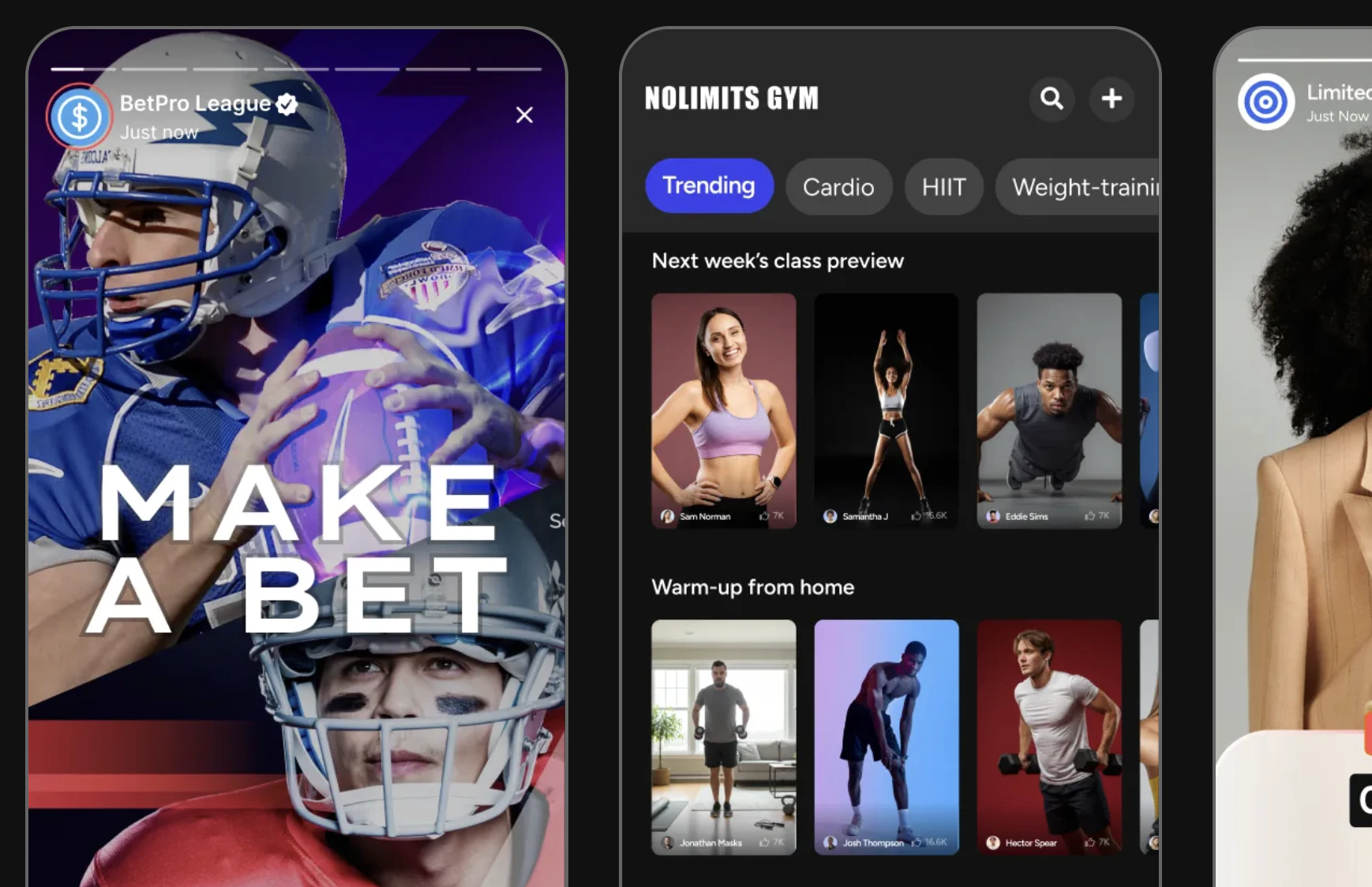 Stories are 24-hour ephemeral content units that drive daily active usage. This guide covers creating image and video stories, rendering story rings, tracking views and impressions, and targeting stories to users or communities.
```mermaid theme={null}
graph TD
A[User creates story] --> B{Story type}
B -->|Image| C[Upload image]
B -->|Video| D[Upload video]
C & D --> E[Story published]
E --> F{Target}
F -->|User profile| G[User story ring]
F -->|Community| H[Community story ring]
G & H --> I[Other users view story]
I --> J[Impression tracked]
J --> K[Story expires in 24h]
classDef action fill:#e1f5fe,stroke:#0288d1,color:#01579b
classDef decision fill:#fff8e1,stroke:#f9a825,color:#f57f17
classDef process fill:#f3e5f5,stroke:#7b1fa2,color:#4a148c
classDef outcome fill:#e8f5e9,stroke:#388e3c,color:#1b5e20
class A action
class B,F decision
class C,D,E,G,H,I,J process
class K outcome
```
**Prerequisites**: SDK installed and authenticated. For video stories: video upload configured → [Video Handling](/social-plus-sdk/core-concepts/content-handling/files-images-and-videos/video-handling). You'll need a `targetType` (`user` or `community`) and `targetId`.
**Also recommended:** Complete [User Profiles & Social Graph](/use-cases/social/user-profiles-and-social-graph) — stories target user profiles and communities.
**After completing this guide you'll have:**
* Image and video story creation targeting communities and user profiles
* Story ring display with viewed/unviewed state on avatars
* Per-story view count and impression data accessible
## Limits at a Glance
| Property | Limit |
| -------------------- | ----------------------- |
| Story lifespan | 24 hours (auto-deleted) |
| Max image size | 1 GB |
| Max video size | 1 GB |
| Max video duration | 2 minutes |
| Target types | `user` or `community` |
| Hyperlinks per story | 1 |
| Story types | `image` or `video` |
***
## Quick Start: Create an Image Story
```typescript TypeScript theme={null}
import { StoryRepository } from '@amityco/ts-sdk';
const formData = new FormData();
formData.append('files', imageFile);
const result = await StoryRepository.createImageStory(
'community',
'communityId',
formData,
{ campaignId: 'launch' },
'fit', // 'fit' or 'fill'
[
{
type: Amity.StoryItemType.Hyperlink,
data: { url: 'https://example.com', customText: 'Learn more' },
},
],
);
console.log(result.data);
```
***
## Step-by-Step Implementation
Story targets are the entities (users or communities) that have active stories. Each target has a `hasUnseenStory` flag you can use to highlight the ring.
```typescript TypeScript theme={null}
import { StoryRepository } from '@amityco/ts-sdk';
const unsubscribe = StoryRepository.getStoriesByTargetIds(
{
targets: [
{ targetType: 'community', targetId: 'communityId_1' },
{ targetType: 'community', targetId: 'communityId_2' },
],
options: { orderBy: 'asc' },
},
({ data: storiesData, loading }) => {
if (storiesData) { /* render story rings */ }
},
);
```
Full reference → [Get Story Targets](/social-plus-sdk/social/content-management/stories/retrieval/get-story-targets)
For an explore page, query all communities with active stories.
```typescript TypeScript theme={null}
import { StoryRepository } from '@amityco/ts-sdk';
const unsubscribe = StoryRepository.getGlobalStoryTargets(
{ seenState: Amity.StorySeenQuery.SMART, limit: 10 },
({ data, onNextPage, hasNextPage }) => {
/* render explore story bar */
},
);
```
Full reference → [Get Global Story Targets](/social-plus-sdk/social/content-management/stories/retrieval/get-global-story-targets)
Query individual stories for a specific user or community to display in the full-screen viewer.
```typescript TypeScript theme={null}
const unsubscribe = StoryRepository.getActiveStoriesByTarget(
{ targetType: 'community', targetId: 'communityId' },
({ data: stories, loading }) => {
if (stories) { /* open full-screen story viewer */ }
},
);
```
Full reference → [Get Stories](/social-plus-sdk/social/content-management/stories/retrieval/get-stories)
When a story is shown full-screen, call `markAsSeen()` to record the view impression. View analytics in **Admin Console → Social Management → Stories**.
```typescript TypeScript theme={null}
// Inside the story viewer callback:
storiesData.forEach(storyItem => {
if (storyItem) storyItem.analytics.markAsSeen();
});
```
Full reference → [Story Impressions](/social-plus-sdk/social/content-management/stories/analytics/story-impressions)
Stories support the same reaction system as posts. Use `ReactionRepository` with `referenceType: 'story'` and the story ID.
```typescript TypeScript theme={null}
import { ReactionRepository } from '@amityco/ts-sdk';
// Add a reaction to a story
await ReactionRepository.addReaction('story', 'storyId', 'like');
// Remove a reaction
await ReactionRepository.removeReaction('story', 'storyId', 'like');
```
Full reference → [Reactions](/social-plus-sdk/core-concepts/content-handling/reactions)
***
## Connect to Moderation & Analytics
View total views, unique viewers, and per-story impression data in **Admin Console → Social Management → Stories**. Programmatic access via `story.impressions` in the SDK.
→ [Story Impressions](/social-plus-sdk/social/content-management/stories/analytics/story-impressions)
Users can flag inappropriate stories. Flagged stories appear in the Admin Console for moderator action.
→ [Content Flagging](/social-plus-sdk/social/content-management/moderation/content-flagging)
Per-community story settings control whether comments are allowed on community stories. Configure in the Admin Console or via the SDK when creating/updating a community.
→ [Create Community](/social-plus-sdk/social/communities-spaces/community-lifecycle/create-community)
***
## Common Mistakes
**Uploading full-resolution images without compression** — Stories are short-lived content. Uploading 4K images wastes bandwidth and slows story rings. Compress to \~1080p before uploading.
**Not checking story expiration client-side** — The API returns active stories, but network delays can cause a story to expire between fetch and render. Always check `story.expiresAt` before displaying.
**Polling for new stories instead of subscribing** — Stories update frequently. Use Live Collections to observe story changes instead of polling on a timer, which wastes battery and bandwidth.
## Best Practices
* Use a colored ring for unseen stories, a grey/transparent ring for fully seen stories
* Order story rings: currently-active user's story → friends → communities
* Show a "+" button on the current user's ring to open the creation flow
* Animate the ring on tap to give tactile feedback before opening the viewer
* Auto-advance to the next story after \~5-7 seconds for images, or at video end
* Allow tap-left / tap-right to navigate between stories
* Show a progress bar across the top of the viewer for each story segment
* Pause auto-advance when the user long-presses (hold to read)
* Pre-fetch stories for the first 3 targets in the story ring so they open instantly
* Compress images to ≤1MB before upload — story images are full-screen and load time matters
* For video stories, start downloading the next story's video while the current one plays
***
**Dive deeper**: [Stories API Reference](/social-plus-sdk/social/content-management/stories/overview) has full parameter tables, method signatures, and platform-specific details for every API used in this guide.
## Next Steps
Stories are live — now set up push notifications so followers know when new stories are posted.
Or explore related guides:
Create posts alongside stories for a complete content loop
Notify users when someone reacts to their story
Combine a story bar at the top of the feed
Stories are 24-hour ephemeral content units that drive daily active usage. This guide covers creating image and video stories, rendering story rings, tracking views and impressions, and targeting stories to users or communities.
```mermaid theme={null}
graph TD
A[User creates story] --> B{Story type}
B -->|Image| C[Upload image]
B -->|Video| D[Upload video]
C & D --> E[Story published]
E --> F{Target}
F -->|User profile| G[User story ring]
F -->|Community| H[Community story ring]
G & H --> I[Other users view story]
I --> J[Impression tracked]
J --> K[Story expires in 24h]
classDef action fill:#e1f5fe,stroke:#0288d1,color:#01579b
classDef decision fill:#fff8e1,stroke:#f9a825,color:#f57f17
classDef process fill:#f3e5f5,stroke:#7b1fa2,color:#4a148c
classDef outcome fill:#e8f5e9,stroke:#388e3c,color:#1b5e20
class A action
class B,F decision
class C,D,E,G,H,I,J process
class K outcome
```
**Prerequisites**: SDK installed and authenticated. For video stories: video upload configured → [Video Handling](/social-plus-sdk/core-concepts/content-handling/files-images-and-videos/video-handling). You'll need a `targetType` (`user` or `community`) and `targetId`.
**Also recommended:** Complete [User Profiles & Social Graph](/use-cases/social/user-profiles-and-social-graph) — stories target user profiles and communities.
**After completing this guide you'll have:**
* Image and video story creation targeting communities and user profiles
* Story ring display with viewed/unviewed state on avatars
* Per-story view count and impression data accessible
## Limits at a Glance
| Property | Limit |
| -------------------- | ----------------------- |
| Story lifespan | 24 hours (auto-deleted) |
| Max image size | 1 GB |
| Max video size | 1 GB |
| Max video duration | 2 minutes |
| Target types | `user` or `community` |
| Hyperlinks per story | 1 |
| Story types | `image` or `video` |
***
## Quick Start: Create an Image Story
```typescript TypeScript theme={null}
import { StoryRepository } from '@amityco/ts-sdk';
const formData = new FormData();
formData.append('files', imageFile);
const result = await StoryRepository.createImageStory(
'community',
'communityId',
formData,
{ campaignId: 'launch' },
'fit', // 'fit' or 'fill'
[
{
type: Amity.StoryItemType.Hyperlink,
data: { url: 'https://example.com', customText: 'Learn more' },
},
],
);
console.log(result.data);
```
***
## Step-by-Step Implementation
Story targets are the entities (users or communities) that have active stories. Each target has a `hasUnseenStory` flag you can use to highlight the ring.
```typescript TypeScript theme={null}
import { StoryRepository } from '@amityco/ts-sdk';
const unsubscribe = StoryRepository.getStoriesByTargetIds(
{
targets: [
{ targetType: 'community', targetId: 'communityId_1' },
{ targetType: 'community', targetId: 'communityId_2' },
],
options: { orderBy: 'asc' },
},
({ data: storiesData, loading }) => {
if (storiesData) { /* render story rings */ }
},
);
```
Full reference → [Get Story Targets](/social-plus-sdk/social/content-management/stories/retrieval/get-story-targets)
For an explore page, query all communities with active stories.
```typescript TypeScript theme={null}
import { StoryRepository } from '@amityco/ts-sdk';
const unsubscribe = StoryRepository.getGlobalStoryTargets(
{ seenState: Amity.StorySeenQuery.SMART, limit: 10 },
({ data, onNextPage, hasNextPage }) => {
/* render explore story bar */
},
);
```
Full reference → [Get Global Story Targets](/social-plus-sdk/social/content-management/stories/retrieval/get-global-story-targets)
Query individual stories for a specific user or community to display in the full-screen viewer.
```typescript TypeScript theme={null}
const unsubscribe = StoryRepository.getActiveStoriesByTarget(
{ targetType: 'community', targetId: 'communityId' },
({ data: stories, loading }) => {
if (stories) { /* open full-screen story viewer */ }
},
);
```
Full reference → [Get Stories](/social-plus-sdk/social/content-management/stories/retrieval/get-stories)
When a story is shown full-screen, call `markAsSeen()` to record the view impression. View analytics in **Admin Console → Social Management → Stories**.
```typescript TypeScript theme={null}
// Inside the story viewer callback:
storiesData.forEach(storyItem => {
if (storyItem) storyItem.analytics.markAsSeen();
});
```
Full reference → [Story Impressions](/social-plus-sdk/social/content-management/stories/analytics/story-impressions)
Stories support the same reaction system as posts. Use `ReactionRepository` with `referenceType: 'story'` and the story ID.
```typescript TypeScript theme={null}
import { ReactionRepository } from '@amityco/ts-sdk';
// Add a reaction to a story
await ReactionRepository.addReaction('story', 'storyId', 'like');
// Remove a reaction
await ReactionRepository.removeReaction('story', 'storyId', 'like');
```
Full reference → [Reactions](/social-plus-sdk/core-concepts/content-handling/reactions)
***
## Connect to Moderation & Analytics
View total views, unique viewers, and per-story impression data in **Admin Console → Social Management → Stories**. Programmatic access via `story.impressions` in the SDK.
→ [Story Impressions](/social-plus-sdk/social/content-management/stories/analytics/story-impressions)
Users can flag inappropriate stories. Flagged stories appear in the Admin Console for moderator action.
→ [Content Flagging](/social-plus-sdk/social/content-management/moderation/content-flagging)
Per-community story settings control whether comments are allowed on community stories. Configure in the Admin Console or via the SDK when creating/updating a community.
→ [Create Community](/social-plus-sdk/social/communities-spaces/community-lifecycle/create-community)
***
## Common Mistakes
**Uploading full-resolution images without compression** — Stories are short-lived content. Uploading 4K images wastes bandwidth and slows story rings. Compress to \~1080p before uploading.
**Not checking story expiration client-side** — The API returns active stories, but network delays can cause a story to expire between fetch and render. Always check `story.expiresAt` before displaying.
**Polling for new stories instead of subscribing** — Stories update frequently. Use Live Collections to observe story changes instead of polling on a timer, which wastes battery and bandwidth.
## Best Practices
* Use a colored ring for unseen stories, a grey/transparent ring for fully seen stories
* Order story rings: currently-active user's story → friends → communities
* Show a "+" button on the current user's ring to open the creation flow
* Animate the ring on tap to give tactile feedback before opening the viewer
* Auto-advance to the next story after \~5-7 seconds for images, or at video end
* Allow tap-left / tap-right to navigate between stories
* Show a progress bar across the top of the viewer for each story segment
* Pause auto-advance when the user long-presses (hold to read)
* Pre-fetch stories for the first 3 targets in the story ring so they open instantly
* Compress images to ≤1MB before upload — story images are full-screen and load time matters
* For video stories, start downloading the next story's video while the current one plays
***
**Dive deeper**: [Stories API Reference](/social-plus-sdk/social/content-management/stories/overview) has full parameter tables, method signatures, and platform-specific details for every API used in this guide.
## Next Steps
Stories are live — now set up push notifications so followers know when new stories are posted.
Or explore related guides:
Create posts alongside stories for a complete content loop
Notify users when someone reacts to their story
Combine a story bar at the top of the feed