> ## Documentation Index
> Fetch the complete documentation index at: https://learn.social.plus/llms.txt
> Use this file to discover all available pages before exploring further.
# Events & Activities
> Create structured events with RSVP, attendance tracking, event discovery, and calendar integration.
**SDK v7.x** · Last verified March 2026 · iOS · Android · Web
```typescript theme={null}
// 1. Create an event
const { data: event } = await EventRepository.createEvent({
title: 'Community Meetup', description: 'Monthly gathering',
startDate: '2026-04-01T18:00:00Z', endDate: '2026-04-01T20:00:00Z',
targetType: 'community', targetId: 'communityId',
});
// 2. RSVP — called on the event linked object
const rsvp = await event.createRSVP(AmityEventResponseStatus.Going);
// 3. Query upcoming events
EventRepository.getEvents({ status: 'upcoming', limit: 10 },
({ data }) => { /* render */ }
);
```
Full walkthrough below ↓
**Platform note** — code samples below use TypeScript. Every method has an equivalent in the iOS (Swift), Android (Kotlin), and Flutter (Dart) SDKs — see the linked SDK reference in each step.
Events give communities and users a way to organize real-world and virtual activities. social.plus supports three event types — **livestream**, **external link** (virtual), and **in-person** — each with RSVP tracking, attendee lists, and push notification reminders.
Go live directly within the app — attendees watch and chat in real time.
Redirect attendees to Zoom, Google Meet, or any external URL.
Physical gatherings with an address field and map support.
This guide covers creating events, managing RSVPs, querying attendees, admin console management, and building an event discovery experience.
```mermaid theme={null}
graph TD
A[User creates event] --> B[Event published to community]
B --> C[Members see event in feed or calendar]
C --> D{Member response}
D -->|Going| E[RSVP: going]
D -->|Not going| F[RSVP: not_going]
D -->|Interested| G[RSVP: interested]
E & G --> H[Attendee list grows]
H --> I[Event creator sees attendance stats]
B --> J[Push notification to community members]
classDef action fill:#e1f5fe,stroke:#0288d1,color:#01579b
classDef decision fill:#fff8e1,stroke:#f9a825,color:#f57f17
classDef process fill:#f3e5f5,stroke:#7b1fa2,color:#4a148c
classDef outcome fill:#e8f5e9,stroke:#388e3c,color:#1b5e20
class A action
class D decision
class B,C,E,F,G,J process
class H,I outcome
```
**Prerequisites**: SDK installed and authenticated. A `communityId` is required — events are always attached to a community.
**Also recommended:** Complete [Community Platform](/use-cases/social/community-platform) first — events live inside communities.
**After completing this guide you'll have:**
* Event creation with title, description, date/time, and location
* RSVP (going / not going) flow with attendee list
* Events discoverable in community feeds and a dedicated events list
***
## Quick Start: Create an Event
```typescript TypeScript theme={null}
import {
AmityEventOriginType,
AmityEventType,
EventRepository,
} from '@amityco/ts-sdk';
const { data: event } = await EventRepository.createEvent({
title: 'Community Workshop',
description: 'A live workshop for community members.',
type: AmityEventType.Virtual,
startTime: '2026-08-01T09:00:00.000Z',
endTime: '2026-08-01T10:00:00.000Z',
originType: AmityEventOriginType.Community,
originId: communityId,
externalUrl: 'https://example.com/live',
tags: ['workshop'],
metadata: { timezone: 'UTC' },
});
showSuccessMessage(event.eventId);
```
***
## Step-by-Step Implementation
Query events for a specific community, filtered by status and sort order. Results are returned as a live collection.
```typescript TypeScript theme={null}
import { EventRepository, AmityEventOriginType, AmityEventSortOption, AmityEventOrderOption } from '@amityco/ts-sdk';
const unsubscribe = EventRepository.getEvents(
{
originType: AmityEventOriginType.Community,
originId: 'community-123',
sortBy: AmityEventSortOption.StartTime,
orderBy: AmityEventOrderOption.Ascending,
},
({ data: events, loading }) => {
if (events) {
events.forEach(event => console.log(event.title, event.startTime));
}
},
);
```
Full reference → [Manage Events](/social-plus-sdk/social/events/manage-events)
Let users respond with `going`, `not_going`, or `interested`. Users can change their RSVP at any time before the event starts.
```typescript TypeScript theme={null}
import { EventRepository, AmityEventResponseStatus } from '@amityco/ts-sdk';
const unsubscribe = EventRepository.getEvent(
'event-123',
async ({ data: event }) => {
if (event) {
const rsvp = await event.createRSVP(AmityEventResponseStatus.Going);
console.log('RSVP:', rsvp?.status);
}
},
);
```
Full reference → [Event RSVP](/social-plus-sdk/social/events/event-rsvp)
Query the list of attendees filtered by RSVP status. Use this to show who's going, display an attendee count, or build an attendee list screen.
```typescript TypeScript theme={null}
import { EventRepository, AmityEventResponseStatus } from '@amityco/ts-sdk';
const unsubscribe = EventRepository.getEvent('event-123', ({ data: event }) => {
if (event) {
event.getRSVPs(
{ status: AmityEventResponseStatus.Going },
({ data: responses }) => {
if (responses) {
responses.forEach(rsvp => console.log('Attendee:', rsvp.user?.displayName));
}
},
);
}
});
```
Full reference → [Event RSVP](/social-plus-sdk/social/events/event-rsvp)
Event creators and community moderators can update event details (title, description, time, location) or delete events entirely.
```typescript TypeScript theme={null}
import { EventRepository } from '@amityco/ts-sdk';
// Update an event
const { data: updated } = await EventRepository.updateEvent('event-123', {
title: 'Updated Event Title',
description: 'New details for the event',
startTime: '2025-04-20T15:00:00Z',
});
// Delete an event
await EventRepository.deleteEvent('event-123');
```
Full reference → [Manage Events](/social-plus-sdk/social/events/manage-events)
***
## Admin Console: Manage & Monitor Events
Admins can create, view, and manage all events across communities from **Admin Console → Events**.
### Events Dashboard
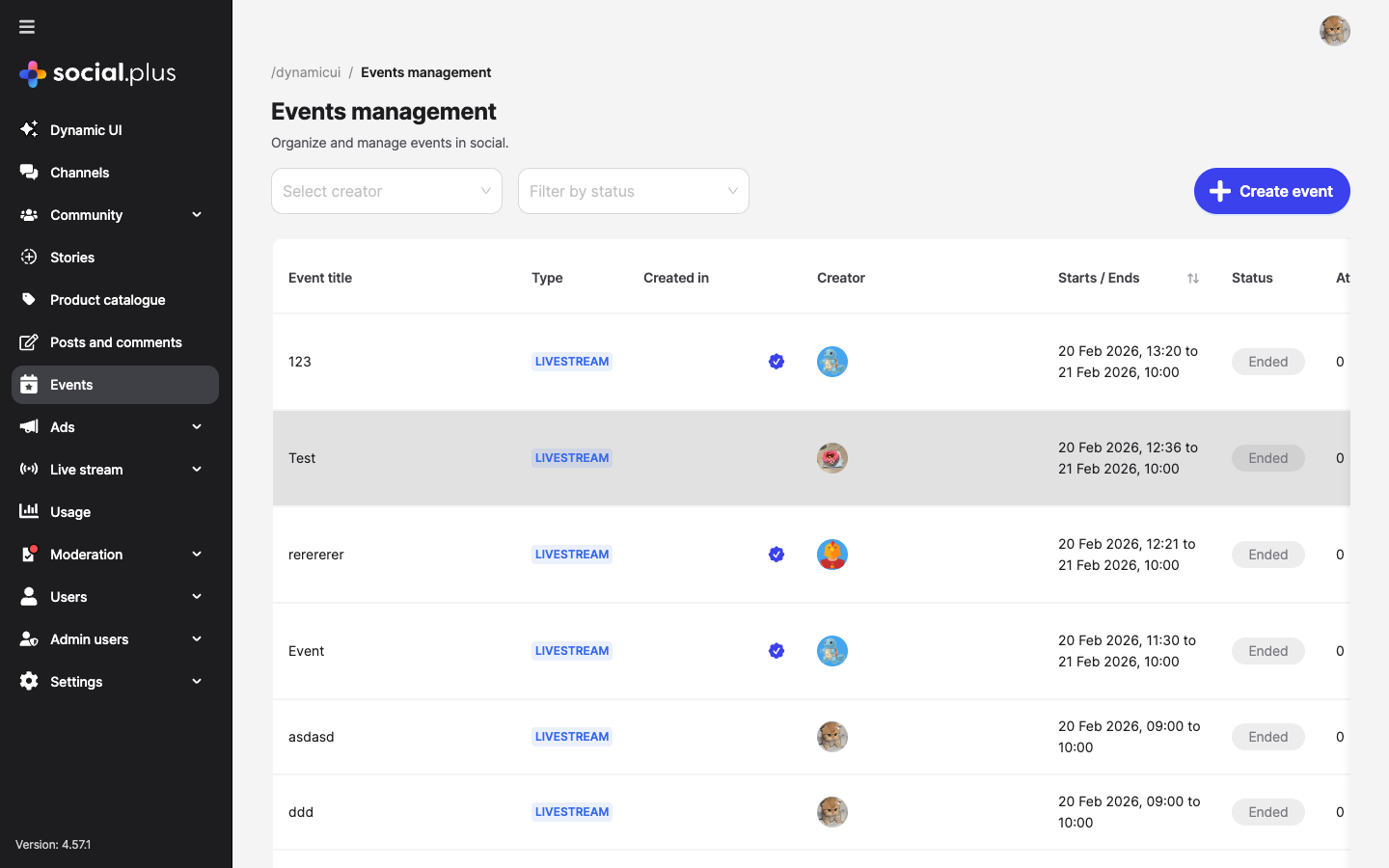 The dashboard shows all events at a glance with filtering by **creator** and **status** (Upcoming, Ongoing, Ended). Columns include event title, type, community, creator, start/end dates, status, and attendee count.
### Create Events from Console
Click **Create event** to build events directly from the console — useful for official community events or marketing campaigns.
The dashboard shows all events at a glance with filtering by **creator** and **status** (Upcoming, Ongoing, Ended). Columns include event title, type, community, creator, start/end dates, status, and attendee count.
### Create Events from Console
Click **Create event** to build events directly from the console — useful for official community events or marketing campaigns.
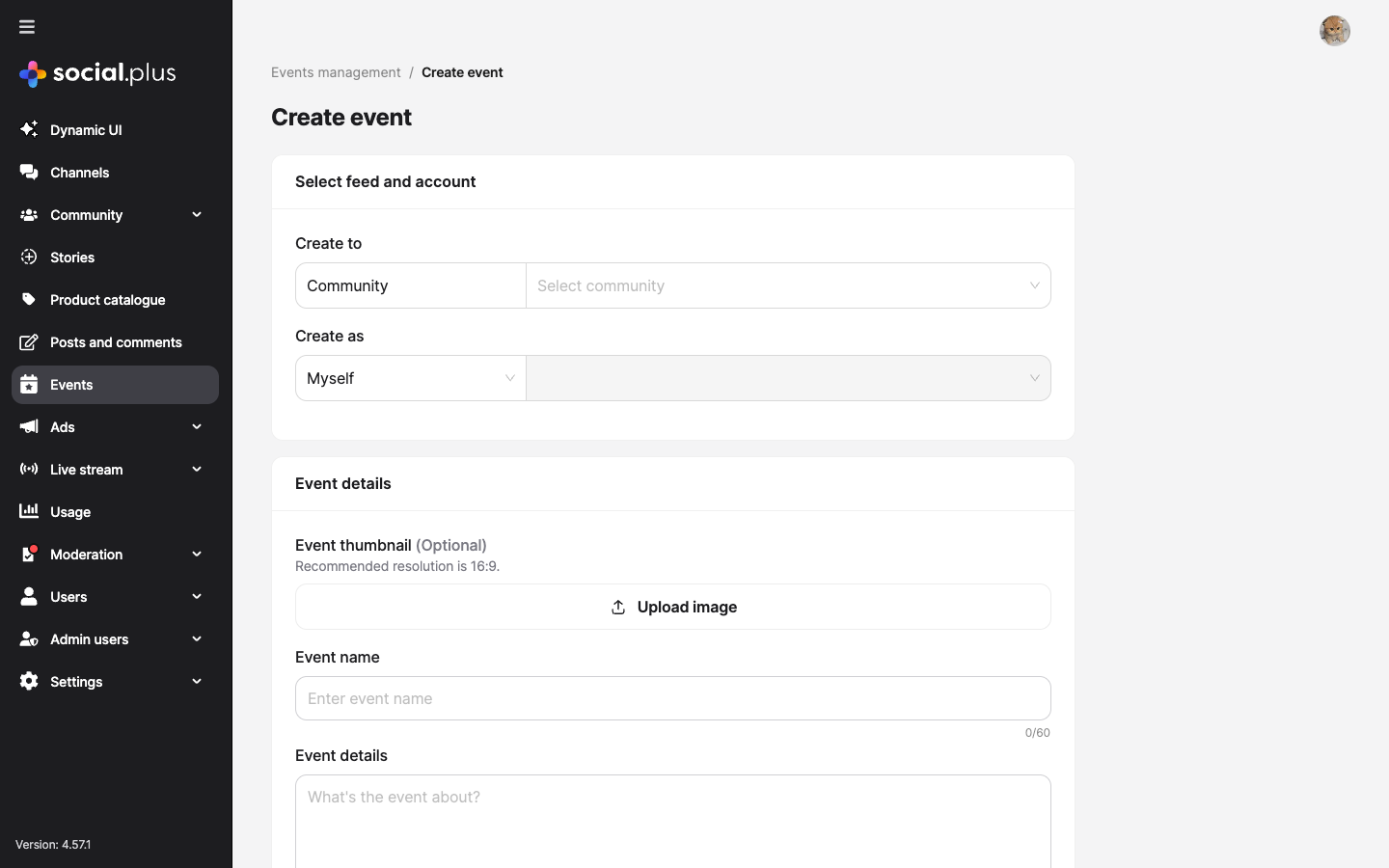 The creation form covers:
* **Feed & account** — target community and creator identity
* **Event details** — name (60 chars), description (1,000 chars), optional 16:9 thumbnail
* **Schedule** — timezone-aware start and end date/time pickers
* **Event type** — Livestream, External Link (URL), or In-Person (address)
### Event Detail View
Click any event to see its detail page with three tabs:
The creation form covers:
* **Feed & account** — target community and creator identity
* **Event details** — name (60 chars), description (1,000 chars), optional 16:9 thumbnail
* **Schedule** — timezone-aware start and end date/time pickers
* **Event type** — Livestream, External Link (URL), or In-Person (address)
### Event Detail View
Click any event to see its detail page with three tabs:
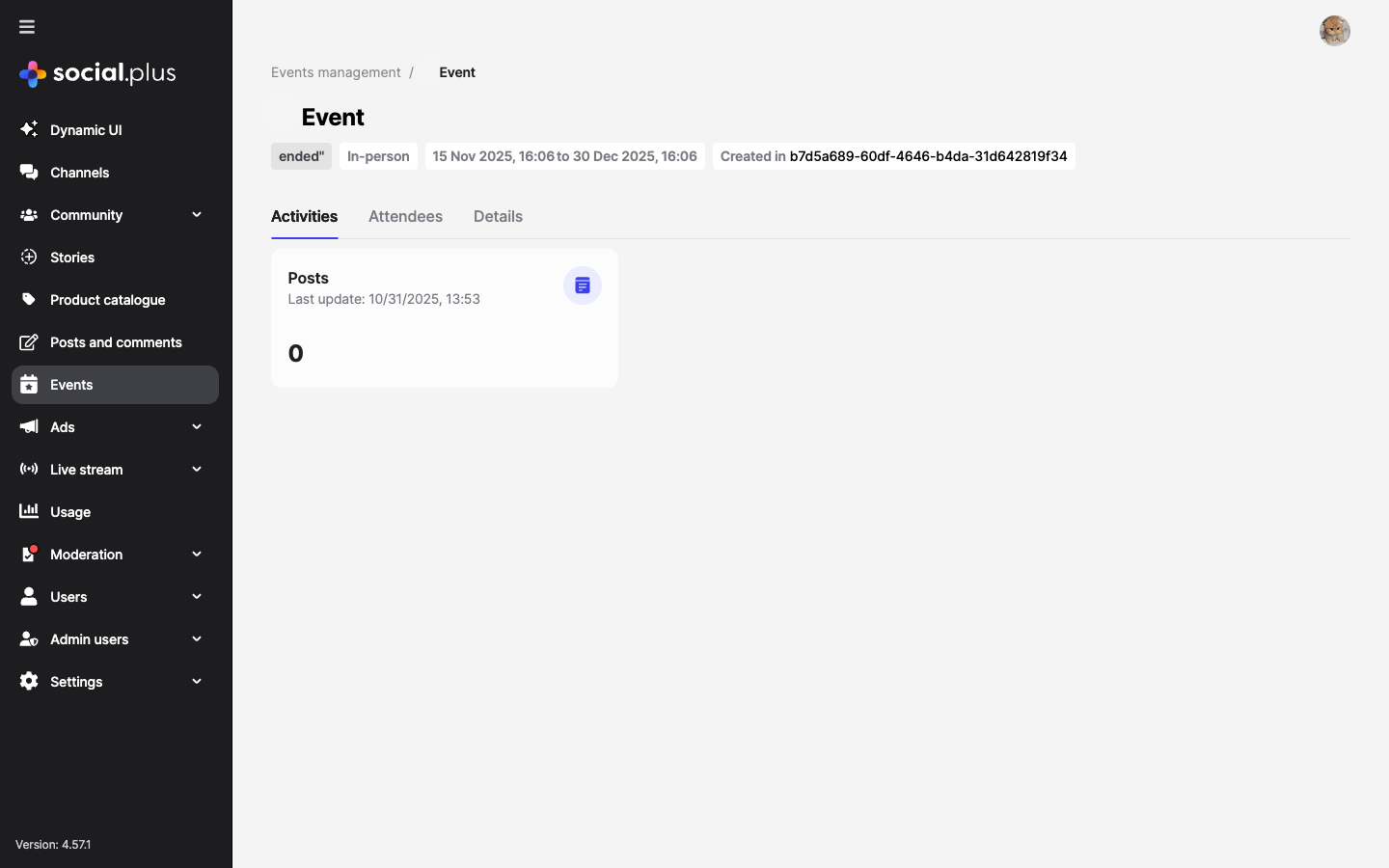 | Tab | What it shows |
| -------------- | ---------------------------------------------------------------------- |
| **Activities** | Posts and engagement tied to the event |
| **Attendees** | Users who RSVP'd — going, interested, not going |
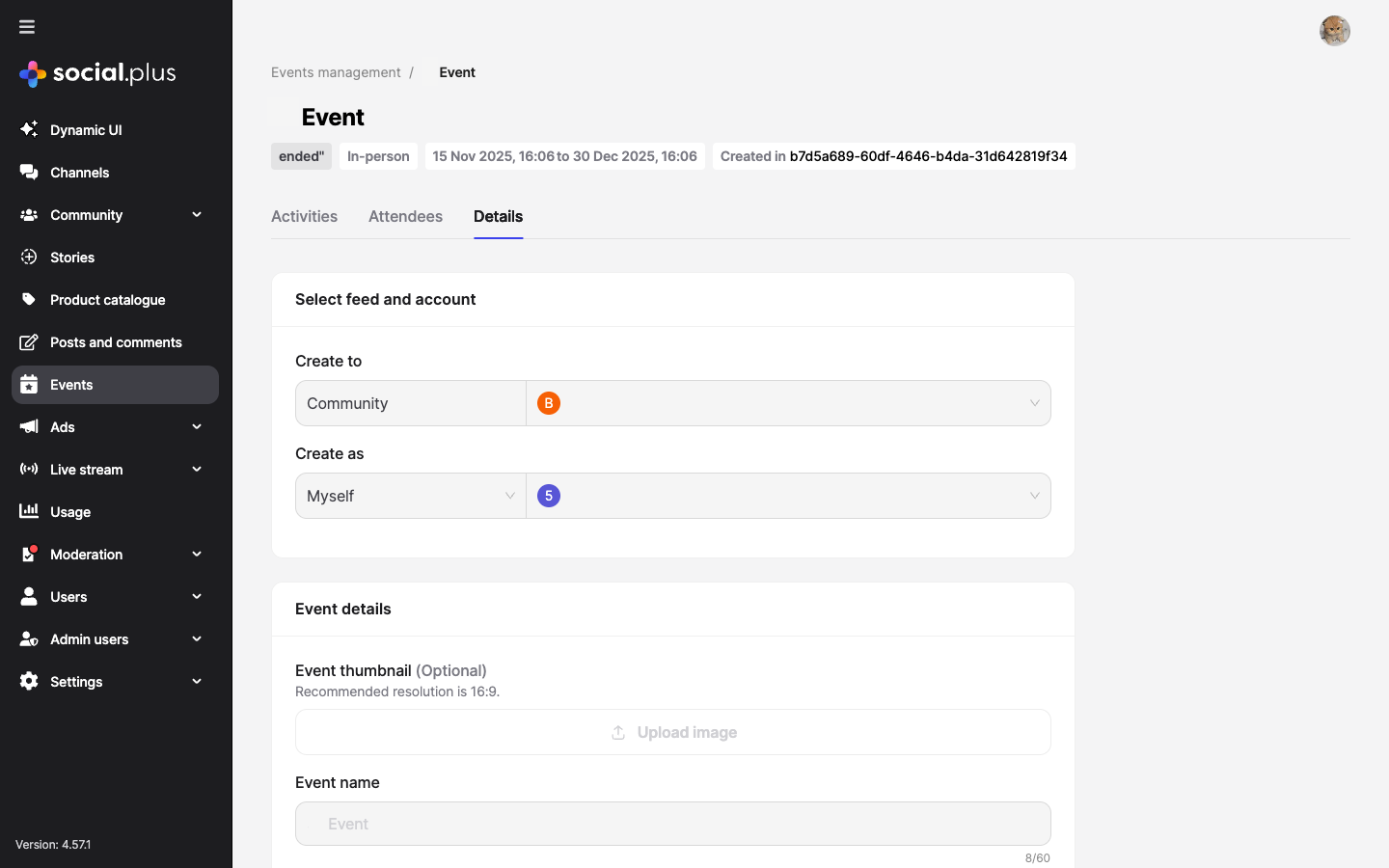
| **Details** | Full event config (community, schedule, type, address/link) — editable |
| Tab | What it shows |
| -------------- | ---------------------------------------------------------------------- |
| **Activities** | Posts and engagement tied to the event |
| **Attendees** | Users who RSVP'd — going, interested, not going |
| **Details** | Full event config (community, schedule, type, address/link) — editable |
 ### Push Notification Configuration
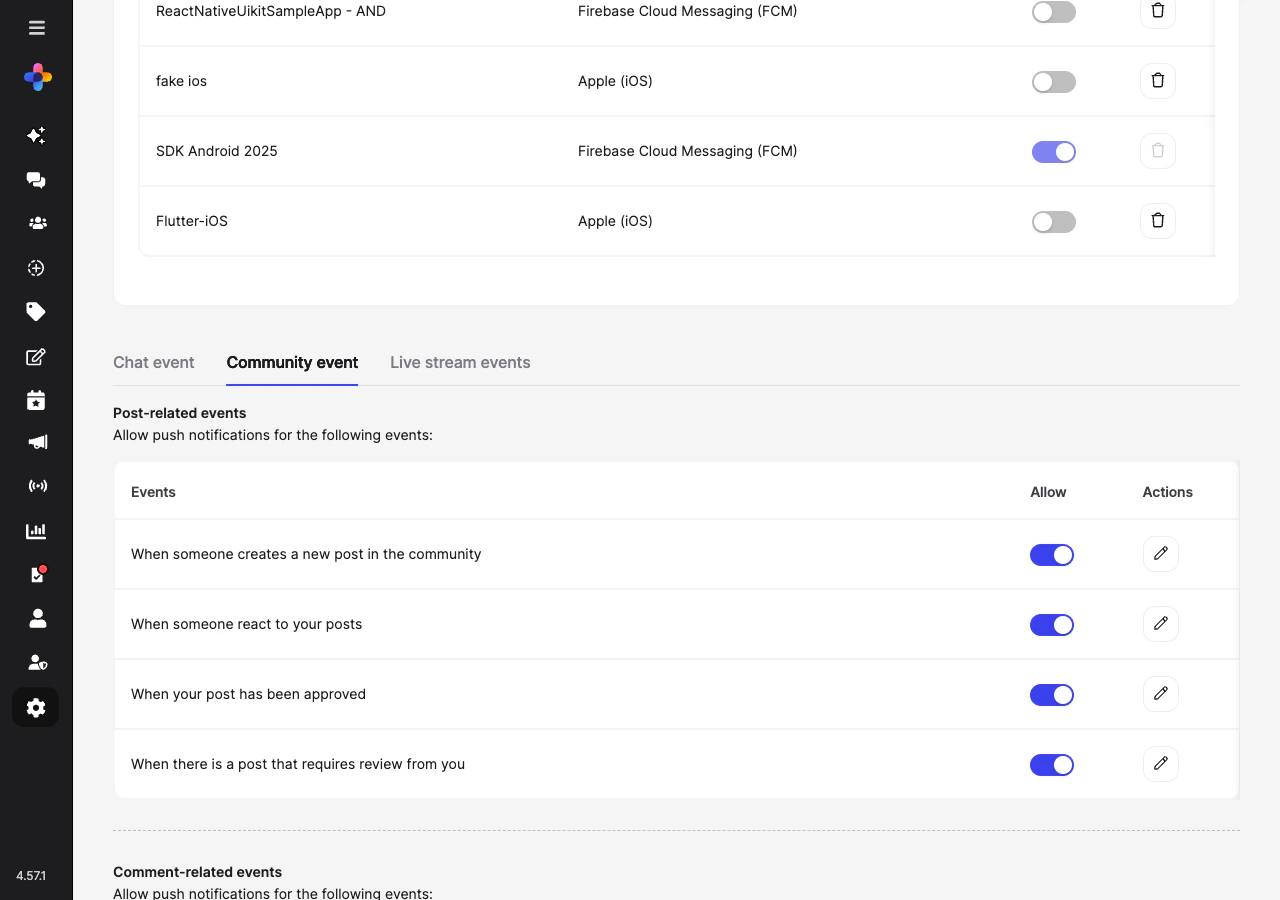
Enable event-related push notifications in **Admin Console → Settings → Push notifications → Community event**.
### Push Notification Configuration
Enable event-related push notifications in **Admin Console → Settings → Push notifications → Community event**.
 Receive `event.created`, `event.updated`, `event.rsvp.created`, and `event.rsvp.updated` webhook events to sync attendance data with an external calendar system, CRM, or trigger reminder emails.
→ [Webhook Events](/analytics-and-moderation/social+-apis-and-services/webhook-event)
Use webhooks to send reminder push notifications to RSVP'd attendees before an event starts. Trigger this from your backend when `event.startAt - 24h` is reached.
→ [Notifications guide](/use-cases/social/notifications-and-engagement)
Full console documentation for events management including all field descriptions, event types, and status lifecycle.
→ [Console: Events Management](/analytics-and-moderation/console/management/events-management)
***
## Common Mistakes
**Creating events without an end date** — Events without `endDate` appear as ongoing indefinitely. Always set both `startDate` and `endDate` for a clear timeline.
**Displaying event times without timezone conversion** — The API stores dates in UTC. Always convert to the user's local timezone before rendering, or display the timezone label.
```typescript theme={null}
// ❌ Bad — raw UTC string
{event.startDate}
// ✅ Good — localized
{new Date(event.startDate).toLocaleString()}
```
**Not refreshing RSVP counts after changes** — After a user RSVPs, other attendees' counts are stale. Use Live Collections or re-query after RSVP actions to keep counts accurate.
## Best Practices
* Show upcoming events prominently in the community feed — pin an event post in the week before it starts
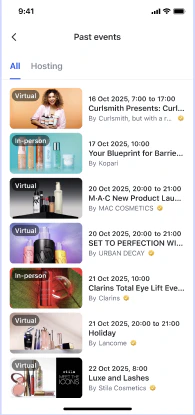
* Add filtering: "This week", "This month", "Past events"
* Show a map preview for in-person events with a location field
* Display the RSVP counts prominently ("42 going · 18 interested") to create social proof
Receive `event.created`, `event.updated`, `event.rsvp.created`, and `event.rsvp.updated` webhook events to sync attendance data with an external calendar system, CRM, or trigger reminder emails.
→ [Webhook Events](/analytics-and-moderation/social+-apis-and-services/webhook-event)
Use webhooks to send reminder push notifications to RSVP'd attendees before an event starts. Trigger this from your backend when `event.startAt - 24h` is reached.
→ [Notifications guide](/use-cases/social/notifications-and-engagement)
Full console documentation for events management including all field descriptions, event types, and status lifecycle.
→ [Console: Events Management](/analytics-and-moderation/console/management/events-management)
***
## Common Mistakes
**Creating events without an end date** — Events without `endDate` appear as ongoing indefinitely. Always set both `startDate` and `endDate` for a clear timeline.
**Displaying event times without timezone conversion** — The API stores dates in UTC. Always convert to the user's local timezone before rendering, or display the timezone label.
```typescript theme={null}
// ❌ Bad — raw UTC string
{event.startDate}
// ✅ Good — localized
{new Date(event.startDate).toLocaleString()}
```
**Not refreshing RSVP counts after changes** — After a user RSVPs, other attendees' counts are stale. Use Live Collections or re-query after RSVP actions to keep counts accurate.
## Best Practices
* Show upcoming events prominently in the community feed — pin an event post in the week before it starts
* Add filtering: "This week", "This month", "Past events"
* Show a map preview for in-person events with a location field
* Display the RSVP counts prominently ("42 going · 18 interested") to create social proof
 * Send a confirmation in-app notification when a user RSVPs to an event
* Allow users to change their RSVP up until the event starts
* Send a reminder push notification 24h and 1h before the event to "going" attendees
* After the event ends, ask attendees to leave a review or reaction
* Always store event times in UTC and convert to local time for display
* Show the timezone explicitly on event details (e.g., "3:00 PM PDT") to avoid confusion
* For virtual events, show the time in both the creator's and viewer's timezone
***
**Dive deeper**: [Events API Reference](/social-plus-sdk/social/events/overview) has full parameter tables, method signatures, and platform-specific details for every API used in this guide.
## Next Steps
Events are live — now set up notifications so members get alerted about new events and RSVP reminders.
Or explore related guides:
Events are typically hosted within communities
Send event reminders and RSVP notifications
Surface upcoming events in the community feed
* Send a confirmation in-app notification when a user RSVPs to an event
* Allow users to change their RSVP up until the event starts
* Send a reminder push notification 24h and 1h before the event to "going" attendees
* After the event ends, ask attendees to leave a review or reaction
* Always store event times in UTC and convert to local time for display
* Show the timezone explicitly on event details (e.g., "3:00 PM PDT") to avoid confusion
* For virtual events, show the time in both the creator's and viewer's timezone
***
**Dive deeper**: [Events API Reference](/social-plus-sdk/social/events/overview) has full parameter tables, method signatures, and platform-specific details for every API used in this guide.
## Next Steps
Events are live — now set up notifications so members get alerted about new events and RSVP reminders.
Or explore related guides:
Events are typically hosted within communities
Send event reminders and RSVP notifications
Surface upcoming events in the community feed